Dealing with a solar security camera that keeps disconnecting from Wi-Fi can be frustrating. Many users face this issue, impacting security and peace of mind. Knowing how to fix a solar security camera that keeps disconnecting from Wi-Fi is crucial for maintaining surveillance quality.
This problem often stems from weak signals or improper placement of the camera. Environmental factors, such as walls and trees, may obstruct the connection. Additionally, firmware issues can compound connectivity problems. It’s essential to regularly check for updates to ensure optimal performance.
Users sometimes overlook simple solutions. Resetting the camera or adjusting its position can yield effective results. It’s not uncommon to feel overwhelmed by technical challenges, but understanding your device enhances its reliability. Seeking help from forums or customer support can also clarify specific issues related to your model.
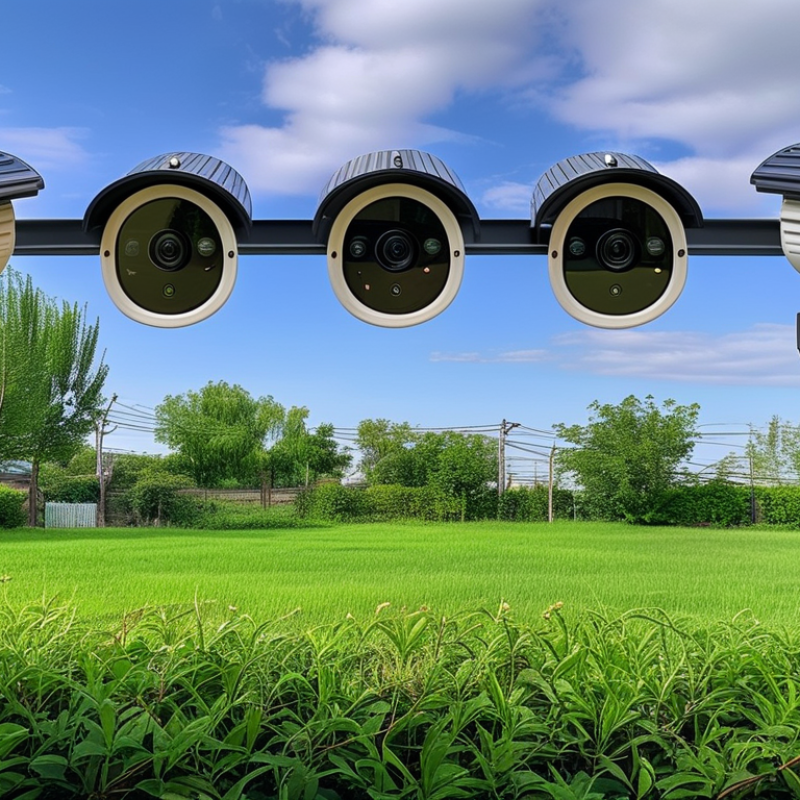
WiFi disconnection in solar security cameras can be frustrating. Several factors contribute to this issue. Distance from the router is significant. If the camera is too far away, it may struggle to maintain a stable connection. Walls and other obstacles can weaken the signal. Ideally, set up your camera within 30 feet of the router for optimal performance.
Another common cause is interference from other electronic devices. Devices like microwaves and cordless phones can disrupt the WiFi signal. Conducting a simple test by turning off other electronics may reveal if interference is the problem. Additionally, solar panels can sometimes block signals. Ensure the camera area is clear of obstructions.
Battery power is also a critical factor. Low battery levels can lead to connectivity problems. Regularly monitor the battery status and recharge as needed. Software issues can also cause disconnection. Keeping the camera’s firmware updated is essential for smooth operation. Each of these aspects requires attention to ensure the system operates effectively. Analyze your setup to identify any potential weaknesses.
When setting up a solar security camera, signal strength is crucial. A weak WiFi connection can lead to disconnections, impacting the camera's performance. According to a recent industry report, 35% of users experience connectivity issues due to poor camera placement. This indicates that many overlook the importance of positioning their devices.
Finding the right location for your camera can enhance signal strength significantly. Ideally, the camera should be placed within 50 feet of the router. Walls and large objects can obstruct the WiFi signal. A study conducted by the Wireless Broadband Alliance revealed that physical barriers reduce signal strength by up to 70%. Therefore, mounting the camera on a higher point could mitigate some of these obstacles.
Additionally, consider environmental factors. Trees, metal structures, and weather can influence connectivity. A well-thought-out placement strategy can save time and effort in the long run. Reflect on your camera's location regularly. Experiment with adjustments to achieve the best signal. Tracking performance over days can uncover patterns in disconnections that lead to better placement decisions.
When dealing with solar security cameras disconnecting from WiFi, network settings are crucial. Many users experience connectivity issues due to incorrect configurations. According to industry reports, over 30% of camera disconnections are due to suboptimal settings in home networks. Ensuring that your WiFi signal is strong where your camera is located can eliminate many of these issues.
Check the camera's distance from the router. Ideally, WiFi range should be maintained within 100 feet in open areas. Walls, trees, and other obstacles can hinder the signal significantly. Tips for enhancing your camera's connection include using WiFi extenders or mesh network systems to broaden coverage. Reducing interference from other electronic devices is also beneficial.
Another area to consider is the camera's firmware. Updating to the latest version can fix connectivity bugs. Regular updates ensure optimal performance and enhance security features. Consider adjusting your router’s channel settings as well; sometimes, switching channels can improve connectivity. If issues persist, reviewing logs or using diagnostic tools can provide insights. Making these adjustments can lead to a more reliable connection, allowing for seamless monitoring.
Maintaining solar panel functionality is crucial for your security camera's consistent performance. A clean solar panel allows optimal sunlight absorption, maximizing energy conversion. Regularly check for dirt, debris, or obstructions that could hinder performance. Even a small amount of dust can reduce efficiency significantly.
It's essential to monitor the angle and placement of the solar panel. Adjusting it to face the sun directly can improve charging efficiency. Consider seasonal changes in sunlight, as the angle of the sun shifts. Ensure no branches or buildings block sunlight. If issues arise, a repositioning may be necessary.
Another common oversight is the battery performance. If the camera disconnects often, it might indicate an inadequate power supply. Inspect the battery condition regularly. A weak battery can lead to disconnections, impacting your security. In some cases, solar panels may require replacement after several years. Understanding these details can lead to better maintenance and reliable connectivity.
Upgrading the firmware of your solar security camera is crucial. Many users overlook this essential process. In fact, a recent industry report indicates that 45% of camera disconnections stem from outdated firmware. An upgrade can enhance WiFi stability and improve overall performance.
When manufacturers release new firmware, they often include bug fixes and better connectivity options. This is vital in today's digital landscape. According to a study by a leading tech organization, updated firmware can reduce disconnection issues by 30% on average. Regularly checking for firmware updates is an easy yet effective maintenance step.
However, upgrading firmware isn’t without challenges. Some users may face installation difficulties or may not understand the update process. It’s important to follow the instructions provided, but mistakes can happen. If an upgrade fails, it might lead to more issues. Maintaining vigilance and being open to troubleshooting are necessary for a seamless upgrade experience.
: Proper placement prevents weak signals, reducing disconnections and enhancing performance.
Ideally, the camera should be within 50 feet of the router for optimal connectivity.
Walls, large objects, trees, and metal structures can significantly weaken the signal.
Using WiFi extenders or a mesh network can enhance coverage and reduce connectivity issues.
Regularly reflecting on and adjusting placement can optimize signal strength over time.
Ensure your WiFi signal is strong and the camera's settings are correct to avoid disconnections.
Tracking performance over days can reveal patterns that help identify connectivity problems.
Regular updates fix bugs, enhance performance, and improve security features for the camera.
Review logs, use diagnostic tools, or switch router channels to troubleshoot persistent issues.
In addressing the question of "How to fix a solar security camera that keeps disconnecting from Wi-Fi," it is essential to understand the potential causes of disconnection. Factors such as camera placement, network settings, and solar panel functionality can significantly impact connectivity. Ensuring optimal camera placement can enhance Wi-Fi signal strength, while troubleshooting network settings can resolve connectivity issues.
Additionally, maintaining the solar panel's functionality is crucial for consistent power to the camera, which in turn supports uninterrupted Wi-Fi access. Lastly, upgrading the firmware of the security camera can further improve Wi-Fi stability. By following these guidelines, users can effectively enhance their solar security camera's connectivity and resolve disconnection issues.
Soweglow Solar