How long do outdoor solar CCTV cameras last on a single charge? There is no universal number. A camera with a large battery, a well-positioned panel, and few motion alerts may run far longer than one facing a busy driveway beneath a shaded eave. Even nearby installations can behave differently. Small details matter.
Battery life depends on more than battery capacity. Cloudy weeks reduce charging, while frequent recordings and infrared night vision use extra power. Cold weather can also affect battery performance. Settings play a part: motion sensitivity, video length, live viewing, and signal strength all influence energy use. A camera that sends alerts every few minutes may drain faster than one recording occasional activity. It varies.
This guide looks at those factors and explains how to interpret advertised runtime without treating it as a promise. Manufacturers may test under controlled conditions, but a garden, farm gate, or exposed wall brings uneven sunlight and changing activity. That gap is easy to underestimate. We’ll also cover practical ways to improve charging, signs that a battery or panel may need attention, and what to check before choosing a camera. Real-world estimates are useful, but they should leave room for weather, placement, and ordinary wear. A neat number can be reassuring; it can also hide the assumptions behind it.
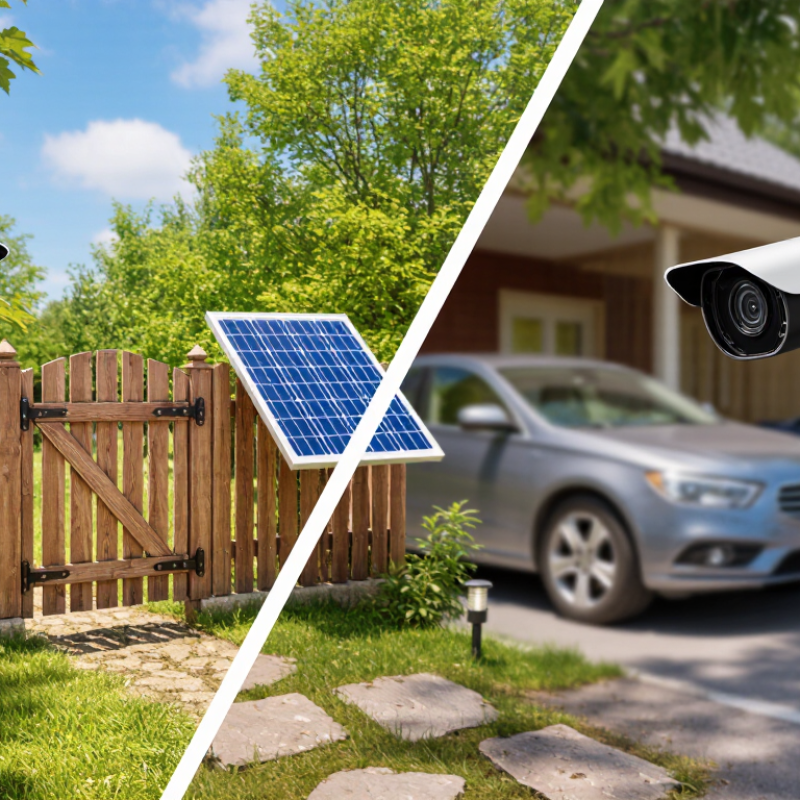
Outdoor solar CCTV battery life is best measured as runtime under clearly stated conditions, not as a single “days of backup” claim. Start with a full charge, then record the camera’s operating mode, motion events, temperature, and battery energy until its low-voltage cutoff. Measure solar charging separately. Useful capacity in watt-hours divided by daily energy use gives estimated no-sun runtime. For example, a camera using 4 Wh daily with 20 Wh of usable battery energy has about five days of reserve. This is an illustration, not a field result. Small details matter.
A sound test also records location and season. NREL’s National Solar Radiation Database provides hourly solar and weather data, helping compare a bright week with a cloudy one. IEC 61215’s standard test conditions use 1,000 W/m² irradiance, a 25°C cell temperature, and an AM1.5 spectrum for PV module ratings. Those figures help interpret panel output, but they do not predict camera runtime by themselves. Report both battery-only days and observed days with solar charging, alongside test dates and settings. It is not perfectly tidy: motion frequency and cold nights can shift results, so repeat measurements across seasons.
| Measurement or Factor | How It Is Measured | Effect on Battery Life | Example or Interpretation |
|---|---|---|---|
| Battery energy capacity | Calculate nominal energy as battery voltage (V) multiplied by capacity (Ah), or measure energy delivered during a controlled discharge in watt-hours (Wh). | A larger usable energy reserve can power the camera for longer, but nominal capacity is not necessarily all available to the device. | A nominal 12.8 V, 10 Ah battery has 128 Wh of nominal energy (12.8 × 10). Actual usable energy depends on the battery, battery-management system, temperature, and cutoff settings. |
| Usable battery energy | Fully charge the battery, then record voltage and current during discharge until the system reaches its specified low-voltage cutoff. Calculate delivered energy by integrating power over time. | This gives a more useful runtime input than nominal capacity because it reflects the system’s operating limits. | Report the test temperature, discharge load, starting charge, and cutoff condition so results can be compared fairly. |
| Average camera power | Measure power consumption over a representative period that includes standby, recording, night vision, live viewing, and communications. | Higher average power drains the battery faster. Motion events, frequent live viewing, and infrared illumination can raise consumption. | Use average power across a full day or longer, rather than relying on a brief standby reading. |
| Estimated runtime without solar input | Estimate runtime by dividing usable battery energy (Wh) by average load (W). | This provides a baseline estimate; it does not account for changing loads, battery aging, or temperature effects. | Illustrative calculation: 100 Wh of usable energy ÷ 2 W average load = 50 hours. This is a calculation example, not a product performance claim. |
| Solar energy collected per day | Estimate daily input as panel rated power (W) × peak-sun-hours per day × system efficiency. | Shorter daylight, shade, cloud cover, panel angle, dirt, and conversion losses reduce the energy available to recharge the battery. | Illustrative calculation: a 20 W panel × 4 peak-sun-hours × 0.70 assumed system efficiency = 56 Wh per day. Actual harvest varies by site and weather. |
| Daily energy balance | Compare measured or estimated daily solar energy collected with the camera’s daily energy use. | If daily use exceeds solar input, the battery’s state of charge falls; if solar input exceeds use, the battery can recover charge, subject to charging limits. | Track battery state of charge over several days, including low-sun periods, rather than judging performance from one sunny day. |
| Temperature and battery condition | Record battery temperature and age during runtime tests, and repeat tests under the expected operating conditions. | Temperature and battery aging can change available capacity and charging behavior. The size of the effect depends on battery chemistry and system design. | For meaningful comparisons, test at a stated temperature and identify whether the battery is new or has undergone prior use. |
| Standardized runtime reporting | Start from a stated charge level; use a defined camera mode, network condition, and activity pattern; log energy use and solar input; report the time to a defined low-battery threshold. | Consistent test conditions make results more comparable. Different recording schedules or thresholds can produce different runtime figures. | Report both “runtime with solar charging disabled” and “days of operation under stated solar and usage conditions” when those measurements are available. |
Note: Runtime figures depend on the test conditions. The numerical examples above are illustrative calculations, not measured performance claims for a specific camera or battery.
Frequent motion alerts, long recordings, and repeated live viewing can use more power. A passing car may trigger another clip.
Yes. If branches or street traffic keep triggering the camera, it wakes often. Narrow the detection area to the gate or path.
Usually. Short clips use less power than long recordings, especially when activity continues. Check whether your clips need to be that long.
Cloudy skies and short winter days can reduce charging. Cold may temporarily lower usable battery capacity, while prolonged heat can speed battery aging.
Yes. A roof edge, nearby wall, or tree canopy may cast shade. Check the panel at different times of day.
Wipe away dust and leaves, and check the panel after rain. Its direction and tilt matter, too.
It may contribute to higher power use. Frequent alerts and live viewing can add to the drain, so review both.
Compare battery levels over several days, then review charging conditions and useful alerts. One estimate can mislead. A few days help.
Outdoor solar CCTV battery life varies because runtime depends on more than the battery’s stated capacity. It is measured by how long a camera can operate between charges, but the result changes with panel output, sunlight exposure, and the energy the camera uses. Settings such as video quality, recording frequency, motion detection, and night vision can all affect power consumption. This is why “How long do outdoor solar CCTV cameras last on a single charge” has no single answer: actual runtime depends on the camera’s setup and conditions.
Weather and installation also matter. Shade, short winter days, cloudy weather, and poor panel positioning can reduce charging, while a well-placed panel in consistent sunlight may replenish the battery more effectively. Battery capacity sets the energy reserve, but age and repeated charge cycles can gradually reduce it. Considering these factors together gives a more realistic estimate of performance than relying on capacity alone.

 Soweglow Solar